This article describes how to use Java libraries for Eclipse plug-in and OSGi development.

1. Using Java libraries in Eclipse plug-ins and OSGi bundles
1.1. Using standard JAR files for Eclipse plug-ins
Java libraries are delivered as JAR files. Eclipse plug-ins and OSGi-based applications require additional metadata in the META-INF/MANIFEST.MF file from libraries. If a Java library does not provide the additional metadata, you can convert the JAR file to a plug-in:
-
Use the Eclipse Maven M2E extension to add Maven libraries to your target platform
-
Manually convert the JAR file to a plug-in by adding the required metadata
The easiest way is to use the Eclipse Maven (M2E) extension to add such libraries to your target platform. This functionality converts non-OSGi Java libraries automatically, if they are part of the target platform. It also allows including dependencies and excluding certain transitive dependencies.
1.2. Adding a dependency to the target file
The following is an example of how to add a library as a dependency, while excluding a certain transitive library.
<?xml version="1.0" encoding="UTF-8" standalone="no"?>
<?pde version="3.8"?>
<target name="test" sequenceNumber="170">
        <location includeDependencyDepth="infinite" includeDependencyScopes="compile"
            includeSource="true" label="EclipseLink" missingManifest="generate" type="Maven">
            <feature id="eclipselink" label="EclipseLink" version="1.0.0.qualifier" />
            <dependencies>
                <dependency>
                    <groupId>org.eclipse.persistence</groupId>
                    <artifactId>org.eclipse.persistence.jpa</artifactId>
                    <version>4.0.0</version>
                    <type>jar</type>
                </dependency>
                <!-- For Lazy Loading
                Warning: Build fails if commented out:
                Missing requirement: org.eclipse.angus.mail 1.0.0 requires 'java.package; sun.security.util 0.0.0' but it could not be found
                <dependency>
                    <groupId>org.eclipse.persistence</groupId>
                    <artifactId>eclipselink</artifactId>
                    <version>4.0.0</version>
                    <type>jar</type>
                </dependency>
                -->
            </dependencies>
            <exclude>org.apache.ant:ant:1.10.12</exclude>
            <!-- PS: for org.eclipse.persistence:eclipselink the following is needed -->
            <exclude>jakarta.transaction:jakarta.transaction-api:2.0.1</exclude>
        </location>
    </locations>
</target>
2. Installation of the M2E-PDE integration
To use the Maven library integration in your target platform, the M2E PDE Integration must be installed in your IDE. If that extension is not installed, you can use the following update site to install it via .
https://download.eclipse.org/releases/latestInstall M2E PDE Integration.
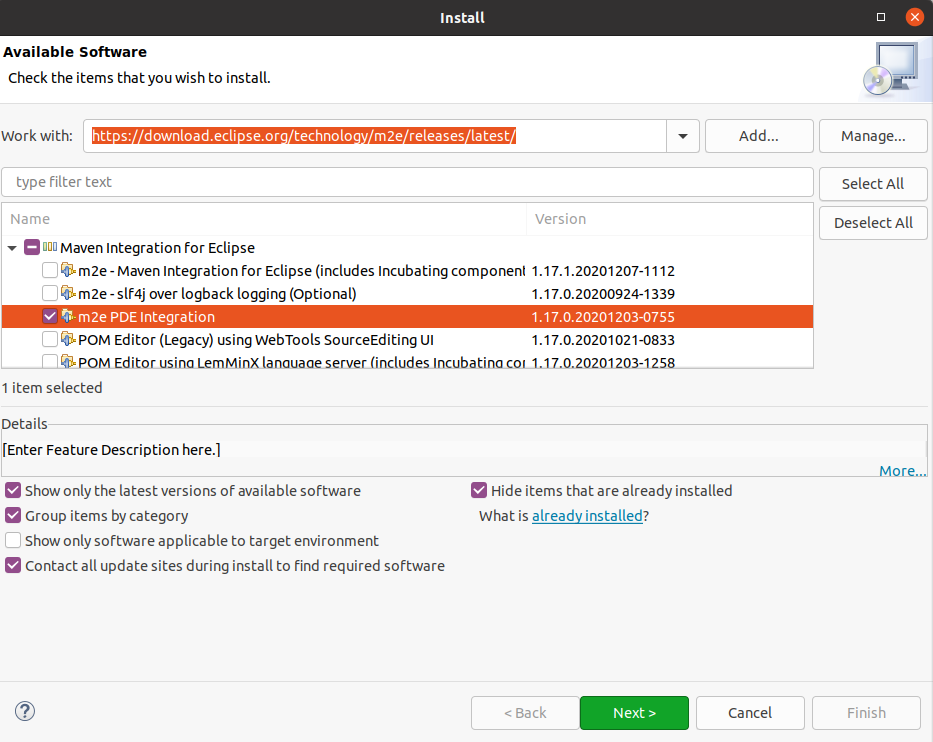
Restart your IDE after the installation.
3. Prerequisites
The following assumes that you already created a target platform for development.
Perform Setting up a target platform if you have not yet done so.
4. Exercise: Using a Java library via Maven
In this exercise, you add a standard library to your target platform.
4.1. Add Gson library from Maven to the target platform
Open your target platform definition file and press the Add… button on the first tab.
Select Maven in the following dialog.
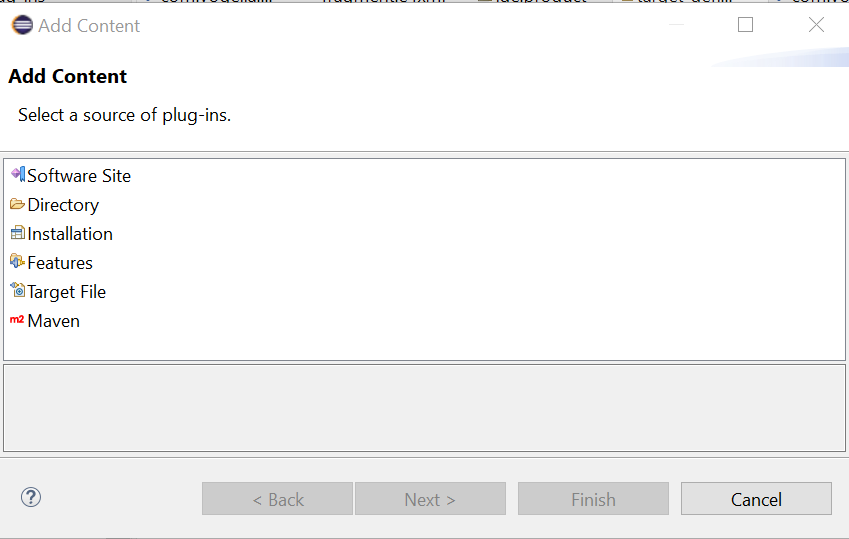
The Gson Maven coordinates that we use are listed below.
<dependency>
  <groupId>com.google.code.gson</groupId>
  <artifactId>gson</artifactId>
  <version>2.13.2</version>
</dependency>|
If you copy a Maven dependency into the clipboard before pressing the add button, the information is used to populate the wizard. |
Select to include dependencies. The Dependencies depth and Dependencies scope define whether dependent artifacts are included or only the master artifact itself. At the time of this writing, the Gson library has no dependencies.
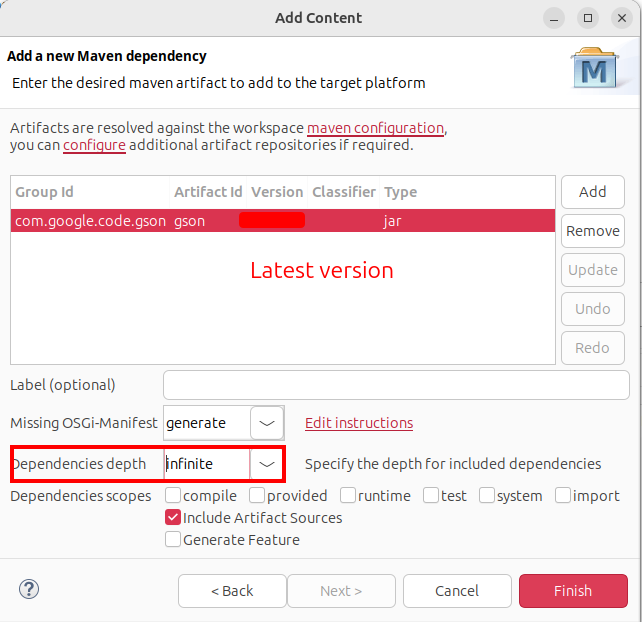
Press Finish. You can now use the library for your plug-in development, even if the original artifact did not contain the OSGi metadata.
4.2. Validate availability of the library
To test if the library is available for you to develop, open one manifest file for an existing plug-in and switch to the dependency tab. Press Add… and ensure that you can add the library as a dependency.
The version in the screenshot has been overdrawn, as this might change over time.
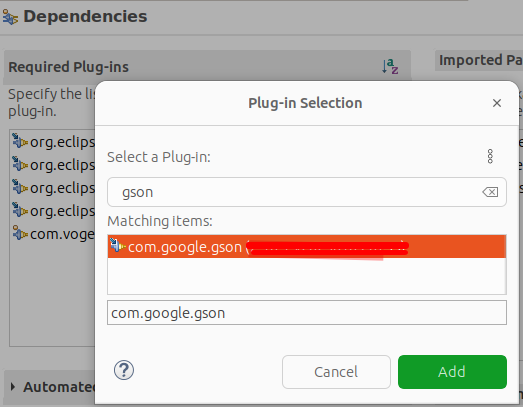
|
Sometimes you have to restart the IDE to make the update of the target platform available for the MANIFEST.MF editor. |
4.3. Add the new plug-in to the product
Add the Gson plug-in to your product via your feature and start your application.
|
How to exclude a certain dependency if you include the dependencies of a library
You can exclude dependencies of libraries. At the time of this writing, this does not follow the Maven syntax, see https://github.com/eclipse-m2e/m2e-core/issues/286. 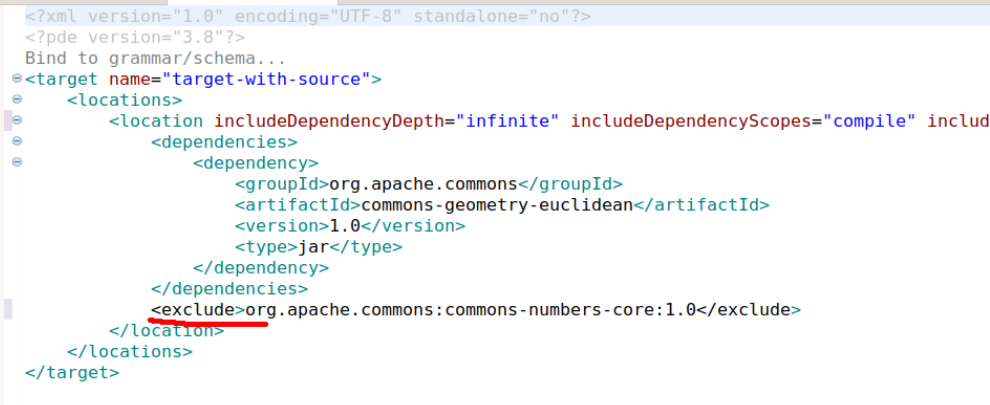 This is added here for further information but is not required to exclude something for this exercise. |
If you need more assistance we offer Online Training and Onsite training as well as consulting


