Using Eclipse Mylyn for task management. This tutorial describes the usage of Mylyn for Eclipse.
1. Task management with Mylyn
Eclipse Mylyn is a software component packaged with the Eclipse IDE. The idea of Mylyn is to integrate tasks into the Eclipse IDE and connect the current state of the Eclipse IDE, e.g., the context with such a task.
Software developers perform a variety of activities. They write source code for new functionality, fix bugs, write documentation, answer questions, attend meetings and much more.
Developing software in the Eclipse IDE involves writing new classes or methods and modifying existing code.
For example, the procedure of fixing a bug may involve writing unit tests, refactoring existing code, reading and searching involved code and finally fixing the affected code. If the activity of the developer during this task is interrupted or if the developer has to work on another task, e.g., an urgent bug, he loses the context he built while working on the previous task, i.e. all the involved classes which he has opened in the Eclipse IDE.
Eclipse Mylyn allows the developer to record his activities in such a task while he is working on it. Each task has a context which captures the involved classes, methods and the cursor position in the opened Java or text editor.
When switching between tasks, the corresponding context is restored and the editors which belong to this tasks are opened and the others are closed.
Mylyn can also filter information in the IDE. For example, the Package Explorer view can be set to show only the files relevant for the current task.
This functionality sounds simple but helps finding the right information much faster during a task switch of the developer.
2. Installation
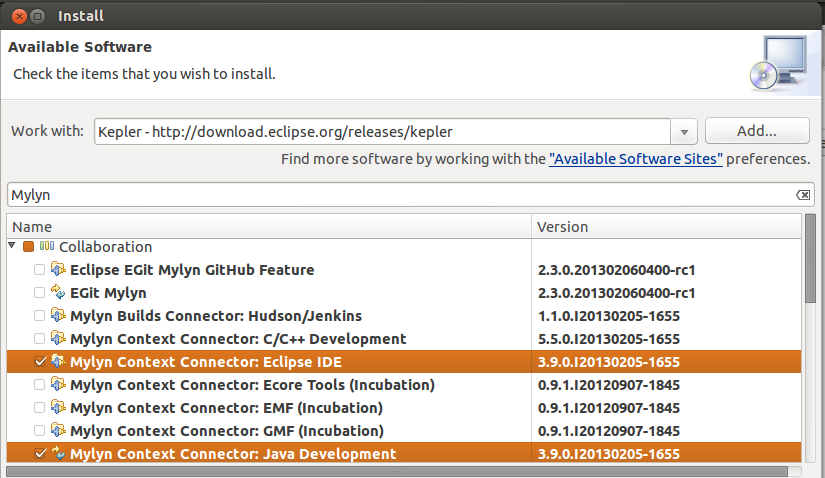
Most Eclipse downloads contain Mylyn already. If you need to install it you can use the update manager via and install Mylyn from the update site or your release. The following screenshot shows this for the Kepler release.
3. Tutorial: Using Mylyn
3.1. Task List view
The Task List view is part of the standard Java perspective.
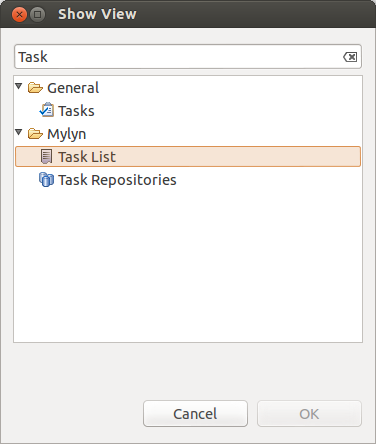
In case you closed the view, you can re-open it via .
3.2. Create new tasks
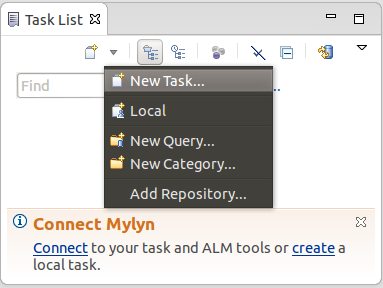
To create a new task press the New Task button or right-click in the Task List view and select .
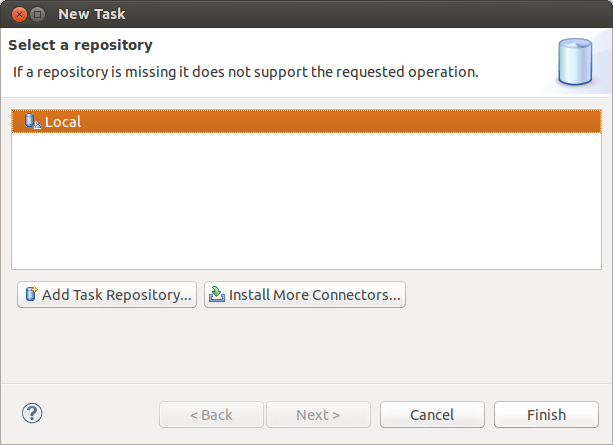
Select the Local repository, as depicted in the following screenshot.
3.3. Activate a task
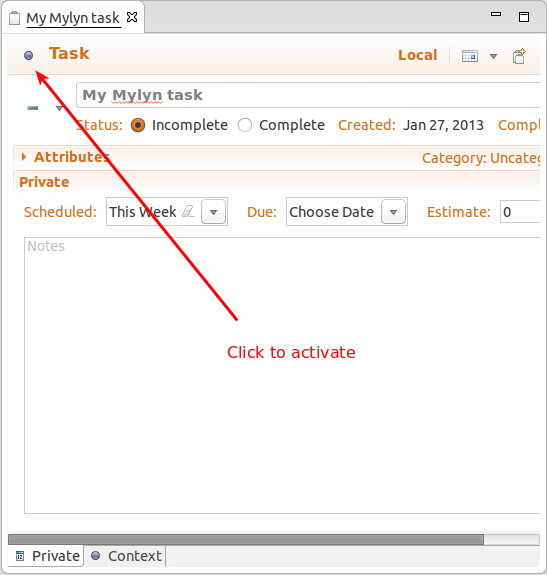
To start working on a task, select the Activate task button. If the task has already captured a context, Mylyn filters the visible elements in the Package Explorer view.
You can remove the filter in the Package Explorer view by clicking the Focus on Active Task button in the toolbar of this view. Afterwards, all files are displayed.
If you open a file while having an activated task, this file is added to the context of the task.
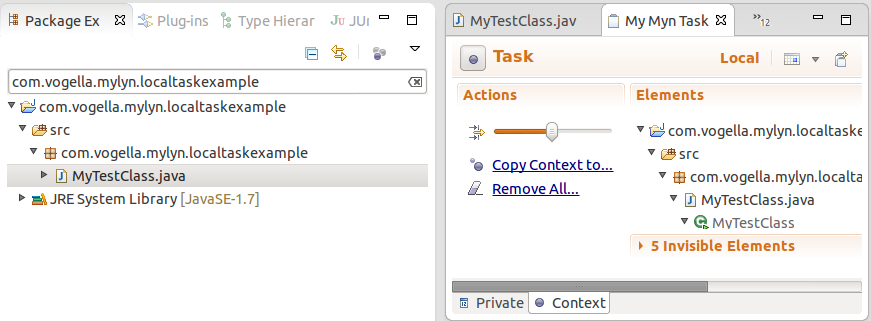
Once you have identified all necessary elements, you can focus again on the task to filter out the unnecessary elements.
If you have to switch to another task you simply can activate it. The context of the task will be restored.
3.4. Create task from Problems view
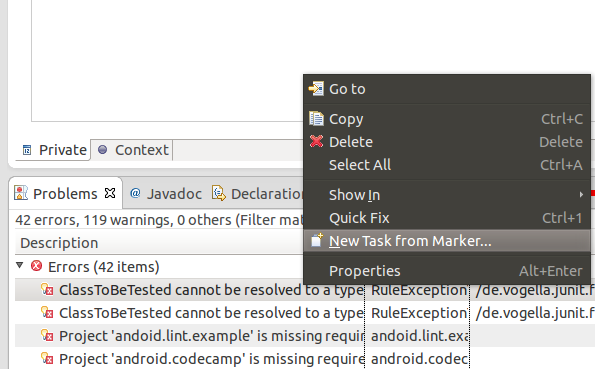
You can create a new Mylyn task from the Problems view, by right-clicking on a problem and selecting New Task from Marker… from the context menu.
3.5. Export and import your tasks
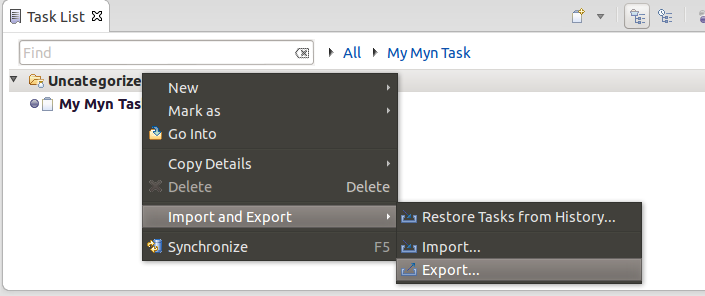
Mylyn allows you to export and import your local tasks. Select your categories or tasks in the Task List view, right-click on them and select Export and Import from the context menu.
4. Using Mylyn for bug tracker integration
Mylyn allows connecting the Eclipse IDE to bug tracking software. Mylyn supports many bug trackers, e.g., GitHub, Jira or Bugzilla. If the bug tracking system supports that, you can also to share the task context with others via the bug tracker. For example, you can integrate Mylyn with the Bugzilla bug tracker system or with the issue system of the GitHub website.
There are a huge variety of available issue trackers it is beyond the scope of this script to cover all of them. Information about the integration with the different trackers can be found on the Mylyn homepage.
https://www.eclipse.org/mylyn/5. Using Mylyn to integrate with Bugzilla
The following description explains how you can use Mylyn to work on bugs and feature requests that are tracked in the Eclipse Bugzilla installation.
All known Eclipse bugs and feature requests are stored in the Eclipse Bugzilla database that can be found under the following link: https://bugs.eclipse.org/bugs/
Mylyn supports accessing the Eclipse bug database via its Bugzilla connector.
| Some packaged version of Eclipse have the Eclipse Bugzilla preconfigured. If you open the Task Repositories view via menu. |
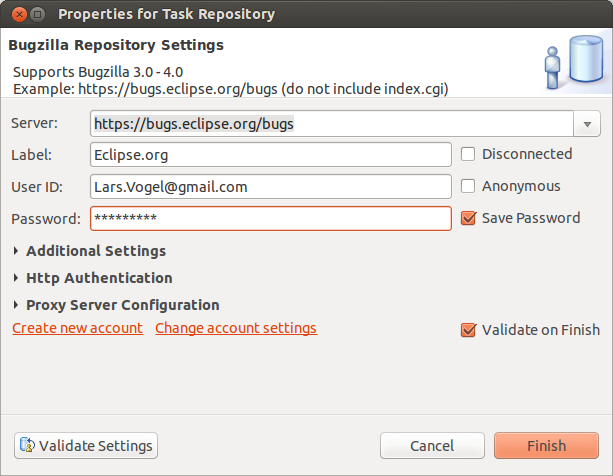
If the Eclipse Bugzilla does not exists here, select Add Task Repository from the view menu and enter the URL to Bugzilla and your credentials similar to the following screenshot.
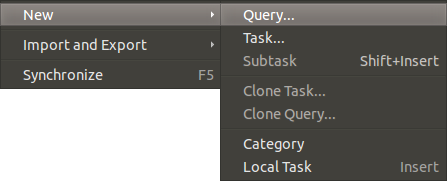
Afterwards right click in the Task List view and select .
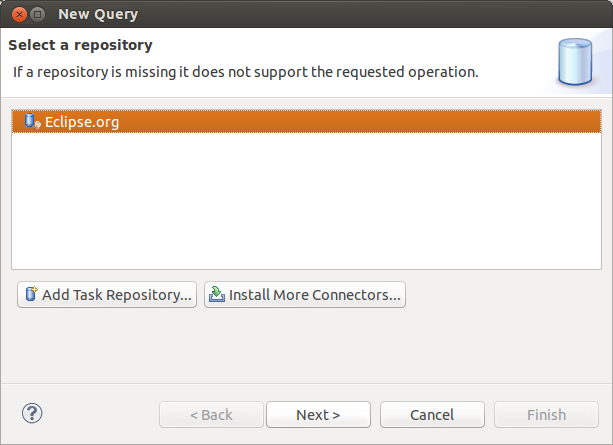
Select the Eclipse entry and press the Next button.
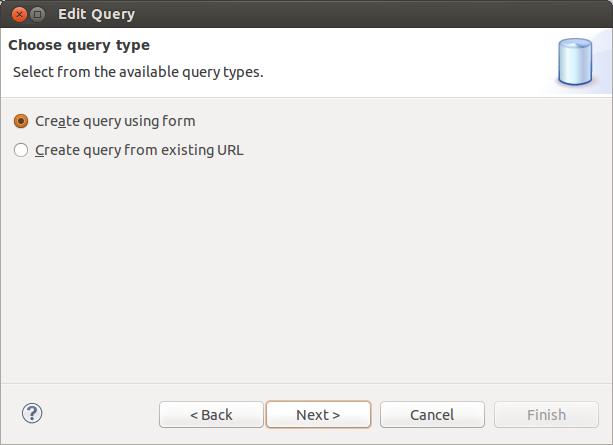
Select the Create query entry and Create query using form.
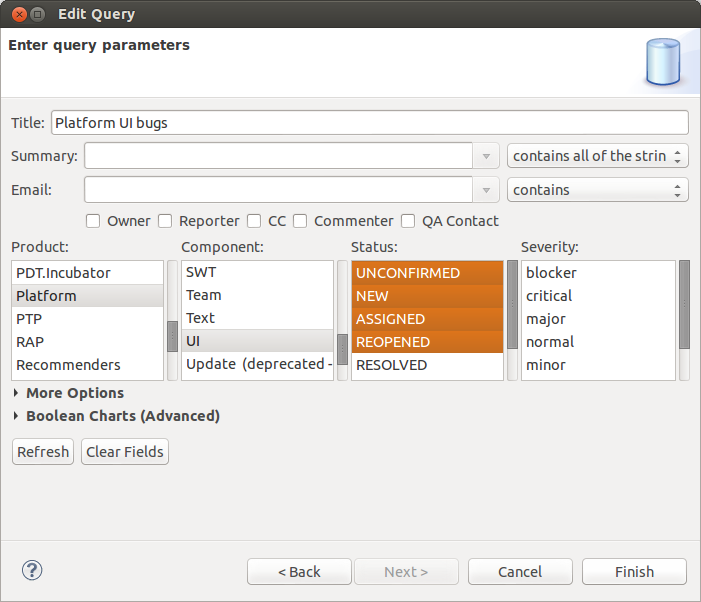
If for example you want to see all open bugs in Platform - UI then you could enter a query as depicted in the following screenshot.
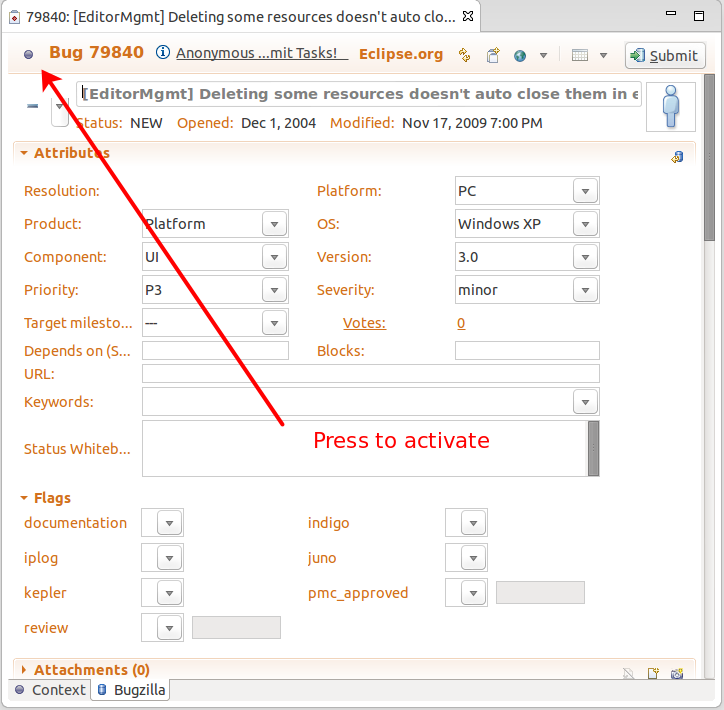
If you now activate a task, you can use Mylyn to work on Eclipse bugs.
6. Using the GitHub connector
6.1. GitHub connector
The Mylyn GitHub connector allows integrating GitHub issues, Pull requests and Gists.
6.2. GitHub issue integration
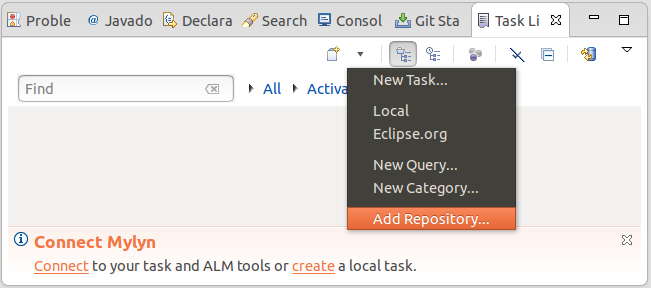
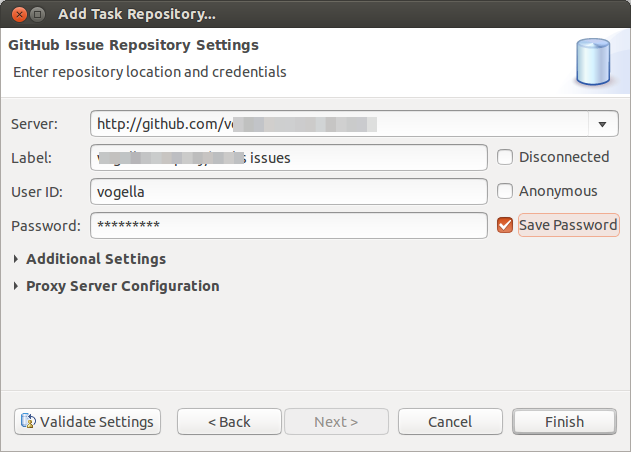
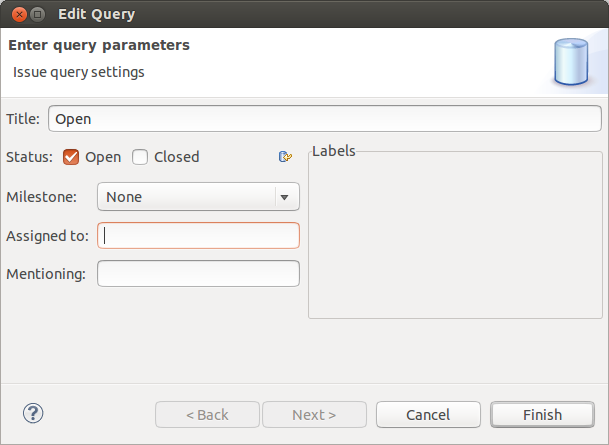
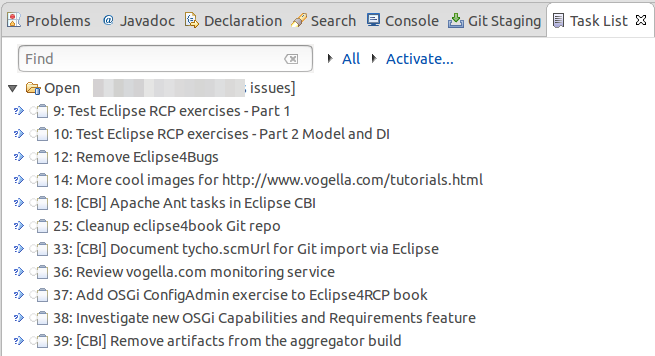
To integrate the GitHub issues you can use the Task List view and define a new repository and a new query as described via the following screenshots.
You first need to define the GitHub repository you want to use.
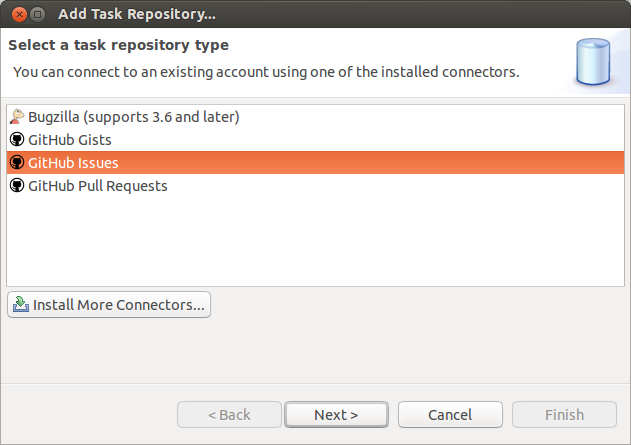
Afterwards, you can directly create a new query.
7. Links and literature
7.2. vogella Java example code
If you need more assistance we offer Online Training and Onsite training as well as consulting


