This article describes the usage of the Eclipse Memory Analyzer (MAT) to identify memory leaks.
1. Analyzing memory leaks with Eclipse
1.1. The Eclipse Memory Analyser (MAT) tooling
The Eclipse Memory Analyser Tooling (MAT) is a set of plug-ins for the Eclipse IDE that provides tools to analyze heap dumps from Java application and to identify memory problems in the application. This helps the developer to find memory leaks and high memory consumption issues.
It visualizes the references to objects based on Java heap dumps and provides tools to identify potential memory leaks.
1.2. Using heap dumps to get a snapshot of the memory of an application
A heap dump is a snapshot of the complete Java object graph on a Java application at a certain point in time. It is stored in a binary format called HPROF.
It includes all objects, fields, primitive types and object references.
2. Installation
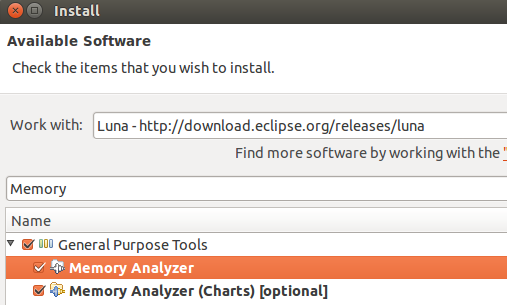
Install Eclipse MAT via the menu entry. Select the update site of your release from the drop-down box and once its content is downloaded, select General Purpose Tools and its sub-entries Memory Analyzer and Memory Analyzer(Charts).
3. Creating heap dumps for Java programs
It is possible to instruct the JVM to create automatically a heap dump in case that it runs out of memory, i.e. in case of a OutOfMemoryError error.
To instruct the JVM to create a heap dump in such a situation, start your Java application with the -XX:+HeapDumpOnOutOfMemoryError option.
Use the menu entry to open a dialog to select for which process you want to acquire a memory dump.
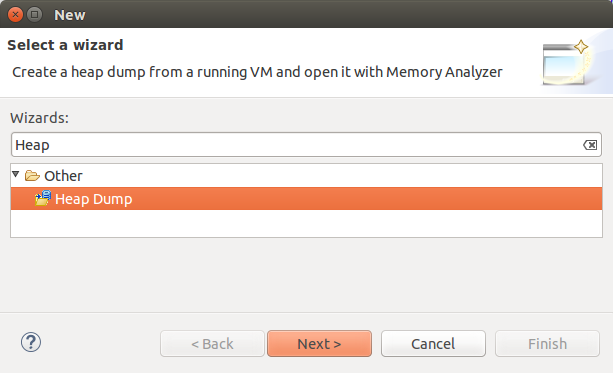
Select the process for a heap dump in the following dialog and press the Finish button.
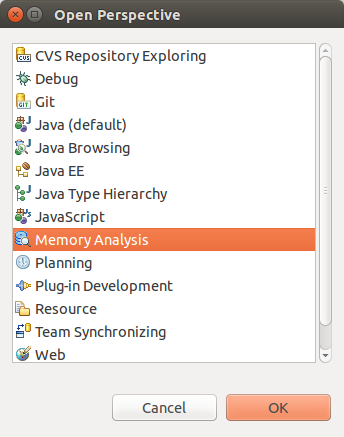
You can analyse the created heap dump. For this, open the Memory Analysis perspective via .
4. Use the Eclipse Memory Analyzer
4.1. Reviewing a heap dump
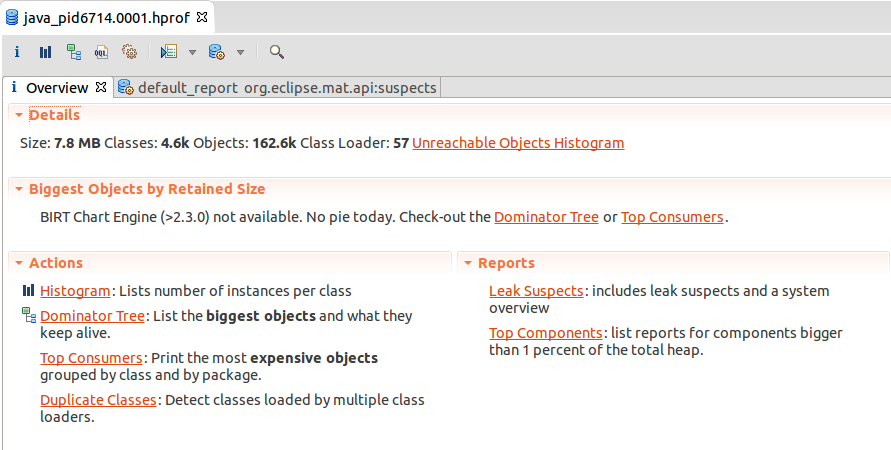
After a new heap dump with the .hprof ending has been created, you can open it via a double-click in Eclipse. If you used MAT to create the heap dump, it should be opened automatically.
You may need to refresh your project (F5 on the project). Double-click the file and select the Leak Suspects Report.
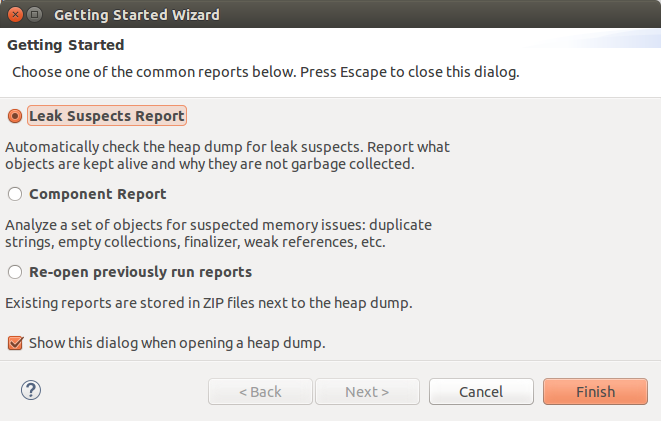
The overview page allows you to start the analysis of the heap dump. The dominator tree gives quickly an overview of the used objects.
In the dominator tree you see the references that are hold.

To find which element is holding the reference to this object, select the entry and select Find shortest path to GC root from the context menu.
5. Example
5.1. Create Project
Create the Java project called com.vogella.mat.first and the com.vogella.mat.first package.
Create the following class.
package com.vogella.mat.first;

import java.util.ArrayList;
import java.util.List;

public class Main {

    /**
     * @param args
     */
    public static void main(String[] args) {
        List<String> list = new ArrayList<String>();
        while (1<2){
            list.add("OutOfMemoryError soon");
        }

    }

}
5.2. Create heap dump and analysis
In Eclipse add the -XX:+HeapDumpOnOutOfMemoryError to the runtime configuration.
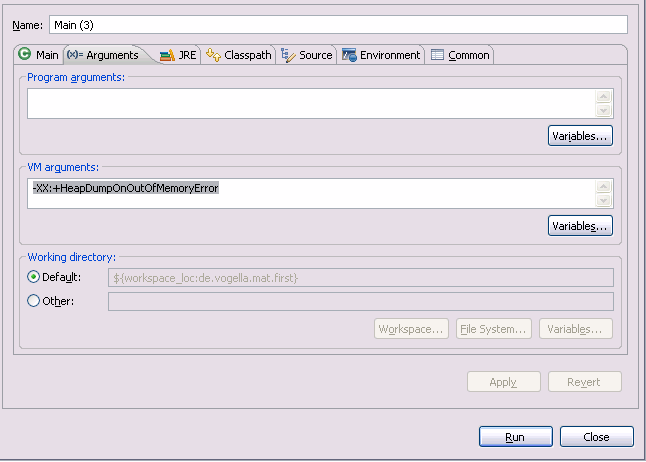
Run the project. It crashes and writes an heap dump.
Open the heap dump in MAT and get familiar with using the MAT tooling.
6. jconsole
You can interactively create a heap dumps via the jconsole, a tool that is included in the JDK. Type jconsole in the command line to start it.
To allow a Java program the access of jconsole use the -Dcom.sun.management.jmxremote start option.
Use them MBeans | com.sun.management | HotSpotDiagnostics | Operations |DumpHeap .
7. Links and literature
7.2. vogella Java example code
If you need more assistance we offer Online Training and Onsite training as well as consulting


